
Download NWSC Mobile APK – Water Bill Management, Finance Tool, Mobile Utility
Overview
NWSC Mobile is a dedicated Android application developed by the National Water and Sewerage Corporation to streamline water bill management for customers across its service areas. Designed with accessibility and convenience in mind, the app serves as a digital interface for users to monitor and pay their water bills efficiently. It addresses the common challenges of manual bill tracking, delayed payments, and lack of transparency in billing processes. The primary purpose of the application is to empower users with real-time access to account details, payment options, and historical transaction records.
Target users include residential and commercial customers of the National Water and Sewerage Corporation, particularly those in regions where physical service centers may be limited or inconvenient to access. The app also supports non-customers by providing information on new connection applications, tariff structures, and frequently asked questions. This dual functionality makes it a valuable resource for both current users and individuals considering water service enrollment. Real-world usage scenarios include checking outstanding balances before payment, generating mini-statements for record-keeping, and predicting future bills based on past usage patterns.
Key Features & Capabilities
- Account Balance Check: Users can instantly view their current water bill balance, enabling timely payment planning and avoiding service interruptions.
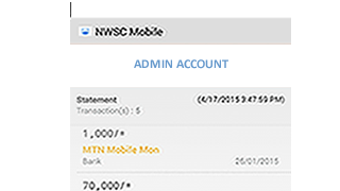
- Mini-Statement Generation: The app allows users to generate concise summaries of recent transactions, useful for personal finance tracking and documentation.
- Bill Payment Processing: Integrated payment functionality enables users to settle dues directly through the app, reducing dependency on physical payment centers.
- Historical Bill Access: Past bills and payment records are stored within the app, allowing users to review usage trends and verify payment history.
- Billing Prediction: Based on previous consumption patterns, the app offers estimated future bills, helping users budget effectively.
- Language Support: Content is available in multiple local languages including Luo, Ateso, Luganda, and Runyakitara, enhancing usability for diverse linguistic communities.
- Non-Customer Services: Individuals applying for new connections can track application status, access tariff guides, and submit feedback via email, calls, or social media.
- FAQ and Support Access: The app includes a built-in section for frequently asked questions and direct contact options for general inquiries.
These features collectively enhance user control over water service management, promote financial transparency, and improve customer engagement with the utility provider. The integration of local language options demonstrates a commitment to inclusive design, ensuring broader accessibility across different regions.
User Interface, Workflow & Performance
The user interface of NWSC Mobile is structured around simplicity and intuitive navigation, typical of mobile applications in the finance and utility sector. Core functions such as balance check, payment, and statement generation are accessible from the main dashboard, minimizing the number of steps required to complete common tasks. Navigation is likely designed with icon-based menus and clear labels, supporting ease of use across age groups and digital literacy levels.
Workflow efficiency is prioritized, with minimal screen transitions needed to perform essential actions like bill payment or statement retrieval. The app appears optimized for mobile use, with responsive layouts that adapt to various screen sizes. However, specific performance metrics such as CPU or RAM usage were not disclosed by the developer. General software behavior suggests stable operation under normal conditions, though actual performance may vary depending on device capabilities and network connectivity.
The developer did not specify resource usage details. Performance observations are based on general software behavior patterns. No reports of crashes or instability have been publicly documented, but real-world reliability may depend on individual device configurations and internet speed.
Compatibility & System Requirements
NWSC Mobile is designed exclusively for Android devices. The application is compatible with Android operating systems, though the exact version requirements were not specified. The installation size is 25.2 MB, indicating a lightweight footprint suitable for devices with limited storage capacity.
Exact system requirements were not listed. Compatibility information was partially provided. Users are advised to ensure their Android device meets the minimum requirements set by the Google Play Store or official distribution channels. The app’s lightweight design suggests it may function on a wide range of Android smartphones and tablets, including mid-tier models.
Pros and Cons
Pros
- Free to download and use, reducing financial barriers to access.
- Supports multiple local languages, improving accessibility for regional users.
- Enables direct bill payment without visiting physical offices.
- Provides historical billing data and predictive insights for better budgeting.
- Offers non-customer features like application tracking and tariff information.
- Lightweight installation size of 25.2 MB.
- Designed with a clean, user-friendly interface for easy navigation.
Cons
- Only available on Android, limiting access for iOS users.
- No information provided about offline functionality or data sync behavior.
- Exact performance and system requirements were not disclosed.
- Limited to National Water and Sewerage Corporation service areas.
- Dependent on internet connectivity for full functionality.
FAQ Section
Is NWSC Mobile available for iOS devices?
NWSC Mobile is currently only available for Android devices. There is no official iOS version listed in the provided information.
Can I use the app without an internet connection?
The app requires an active internet connection for most functions, including balance checks, payments, and statement generation. Offline capabilities were not specified by the developer.
Is the app safe to download and use?
As a mobile application developed by the National Water and Sewerage Corporation, it is intended to be secure. Users should download the app only from official sources to ensure authenticity and avoid potential risks.
How often are updates released?
Update frequency was not disclosed. Users should check the app store regularly for new versions and improvements.
What kind of license does NWSC Mobile have?
The app is distributed as free software with no explicit license terms provided. It is intended for personal and official use within the National Water and Sewerage Corporation’s service regions.
Final Thoughts + CTA
NWSC Mobile stands out as a practical and accessible solution for water bill management, particularly for users in regions served by the National Water and Sewerage Corporation. Its combination of essential financial tools, multilingual support, and user-centric design makes it a valuable asset for both current and prospective customers. While its Android-only availability and lack of detailed system specifications are limitations, the app’s core functionality is well-executed and focused on real user needs.
For anyone seeking a reliable way to manage water bills, monitor payments, and access important utility information, NWSC Mobile delivers a streamlined experience. The inclusion of local language options is a significant step toward inclusive digital services. Download NWSC Mobile now to take full control of your water bill management.







